Master LocalChatIndia: Complete User Guide 2026

Learn to send anonymous WhatsApp messages, make private calls, send free SMS, and connect with people across India - all while keeping your identity 100% private.

200 Free Credits 100% Private No Registration Fees 28 Indian States
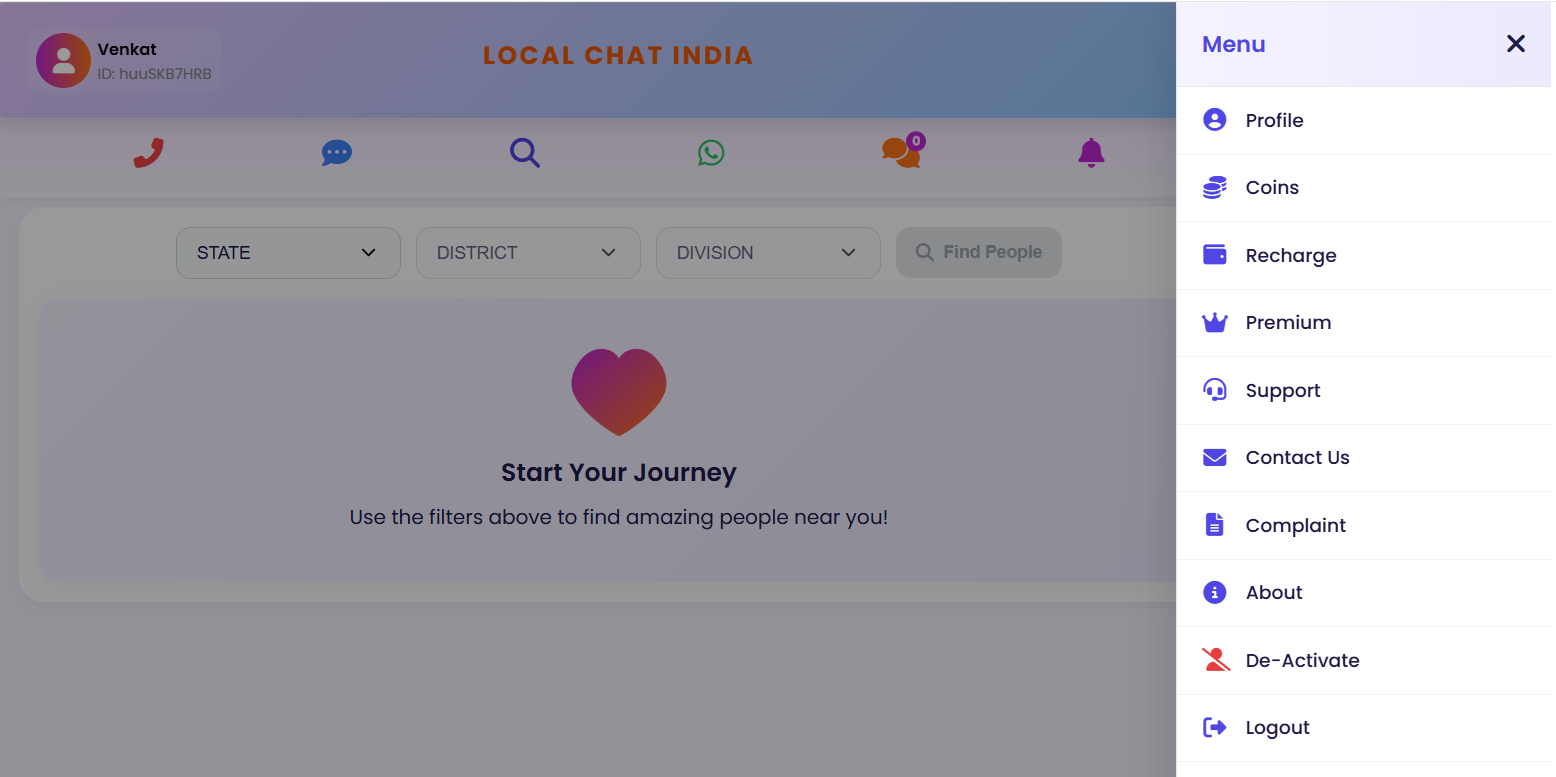
LocalChatIndia Dashboard Preview
Main Dashboard Interface

Key Features of LocalChatIndia

Explore powerful features that make LocalChatIndia unique in private communication

Anonymous WhatsApp

Send WhatsApp messages without revealing your number. Receiver sees private number only.

Learn more

Private Offline Calls

Make calls without balance. Calls from different private numbers. No traceback possible.

Learn more

Free Offline SMS

Send SMS even when blocked. No internet needed. Your number remains completely hidden.

Learn more

Free Video Chat

Connect with random people worldwide. 100% free forever with no hidden charges.

Learn more

Location Search

Filter by State, District, Sub-District across 28 Indian states. Find people nearby.

Learn more

Free Credits System

Get 200 free credits on signup. Premium users get monthly credits and extra benefits.

Learn more

Step-by-Step Guide

Follow these simple steps to master LocalChatIndia

01

Create Your Free Account

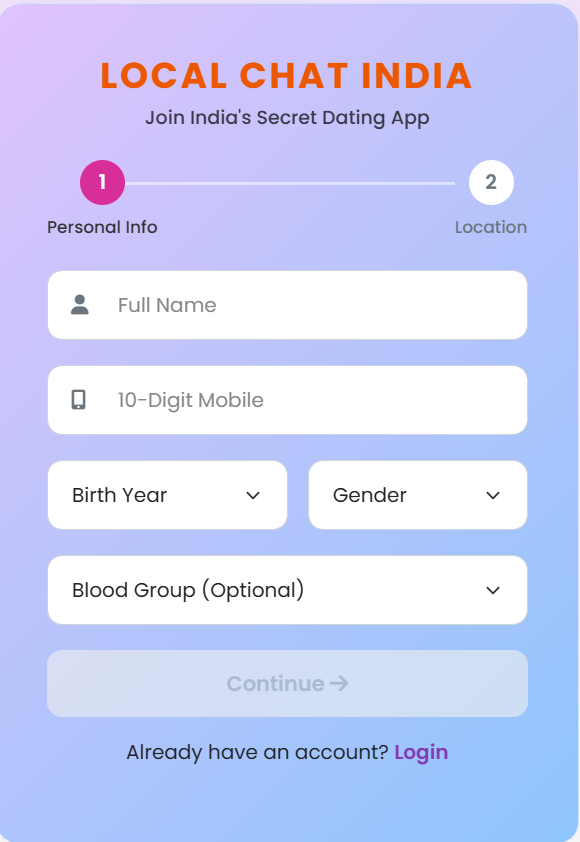
Visit our registration page and sign up with just your mobile number. No payment required, no card details needed. Get 200 free credits instantly upon registration.

LocalChatIndia Registration Form
Registration Page - Simple mobile number signup
02

Login to Dashboard

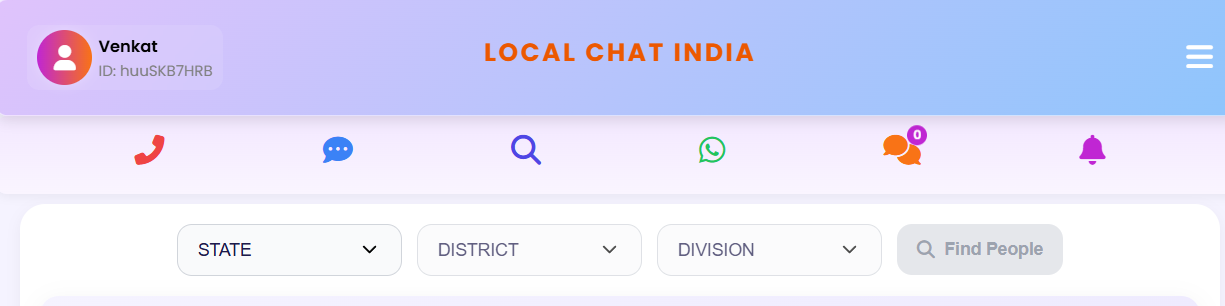
After registration, login with your mobile number and password. You'll access the main dashboard with all features: WhatsApp, SMS, Call, Search, Notifications, and settings menu.

LocalChatIndia Dashboard
Main Dashboard Interface
03

Choose Your Feature

Select from 6 main features: WhatsApp for anonymous messages, SMS for offline texting, Call for private calls, Search for location-based connections.

LocalChatIndia Features Menu
Features Selection Menu
04

Start Communicating

Enter receiver's number or use location search. Type your message or record voice. Click send. Message delivered from private number. Your identity remains completely hidden.

LocalChatIndia Message Sending Interface
Message Sending Interface

Detailed Feature Tutorials

Learn how to use each feature with detailed step-by-step instructions

How to Send Anonymous WhatsApp Messages

  • 1
    Login to Your Account

    Visit login page and enter your mobile number and password to access dashboard.

  • 2
    Click WhatsApp Icon

    On main dashboard, click the green WhatsApp icon to open messaging interface.

  • 3
    Enter Receiver Number

    Type receiver's phone number or select from contacts (give permission if needed).

  • 4
    Compose Your Message

    Type your message in the text box. You can add text up to 1000 characters.

  • 5
    Send Anonymously

    Click "Send" button. Message delivered through private number. Your number hidden.

How to Make Private Offline Calls

  • 1
    Click Call Button

    From dashboard, click the blue Call button to open call interface.

  • 2
    Enter Receiver Details

    Type receiver's phone number or select from contacts with permission.

  • 3
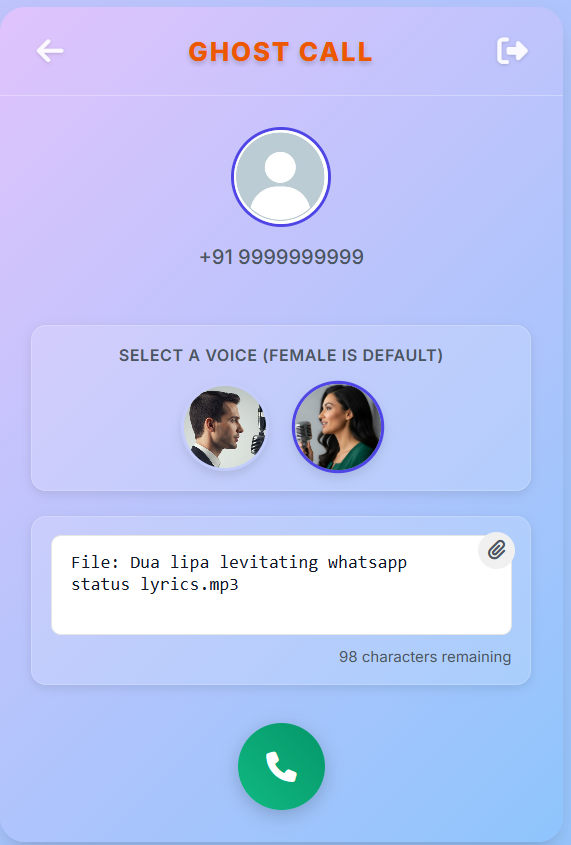
    Choose Voice Type

    Select male or female voice for your message delivery.

  • 4
    Record/Type Message

    Record your voice message or type text to be converted to speech.

  • 5
    Initiate Call

    Click "Call" button. Call delivered within 10-30 seconds from private number.

Frequently Asked Questions

Quick answers to common questions about LocalChatIndia

Is LocalChatIndia free to use?

Yes! LocalChatIndia offers free registration with 200 free credits. Video chat is 100% free forever. You only need to recharge if you use all free credits for messages/calls. Recharge starts from just ₹50.

How does LocalChatIndia protect my privacy?

🔒 Multi-layer privacy protection: 1) Your number never shown to receivers 2) Calls from different private numbers each time 3) No chat/call history stored 4) No traceback possible 5) SMS delivered even when blocked 6) You control privacy settings.

Can I send WhatsApp without showing my number?

📱 Absolutely! That's our core feature. When you send WhatsApp via LocalChatIndia, receiver sees message from private number, not your real number. No chat history stored on our servers.

How to make offline calls without balance?

📞 Use our Private Calls feature: 1) Click Call button 2) Enter receiver number 3) Choose voice type 4) Record/type message 5) Click Call → Delivered within 30 seconds from private number. No internet or mobile balance needed.

Ready to Start Your Private Journey?

Join thousands of users who trust LocalChatIndia for anonymous communication. Get 200 free credits instantly.

Need Help?